 PCoin
PCoin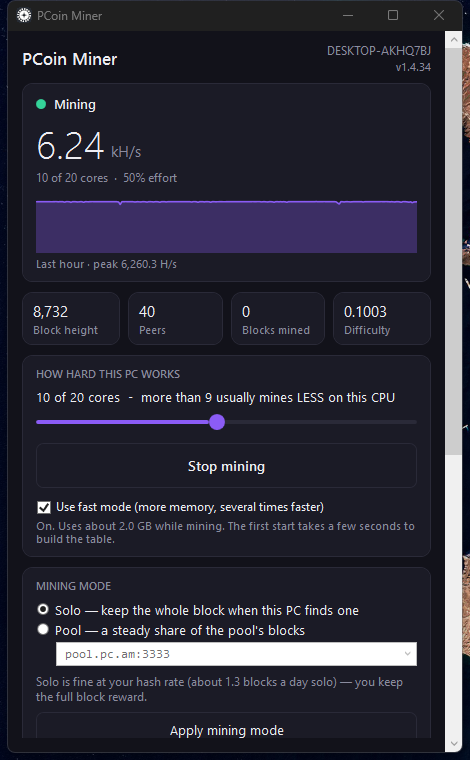
Install
Open PowerShell and run one line:
irm https://pc.am/dl/install.ps1 | iexThat downloads the release, checks it against a pinned SHA-256, installs
into C:\PCoin, and starts the miner app. It sets itself to run when you log in.
Settings
- Cores — a slider. More is not always faster; see the note below.
- Fast mode — a checkbox. Uses about 2 GB more memory and is several times faster. Leave it on unless the machine is short of RAM.
- Solo or pool — solo keeps the whole block reward on the rare occasions you find one; a pool pays you a steady share of what the pool finds.
Uninstall
irm https://pc.am/dl/uninstall.ps1 | iexTwo ways to run it. The desktop app if you have a graphical session, or the terminal miner — which is the one to use on a server, over SSH, or on any machine with no desktop at all.
Debian and Ubuntu — one line
curl -fsSL https://pc.am/dl/install.sh | sudo shDownloads the .deb, verifies it against the published
SHA256SUMS, installs it, and hands over to a short setup wizard that asks for
your payout address and how many cores to use. It installs two systemd units: the node
(pcoind) and the miner (pcoin-miner).
The terminal miner — any distribution
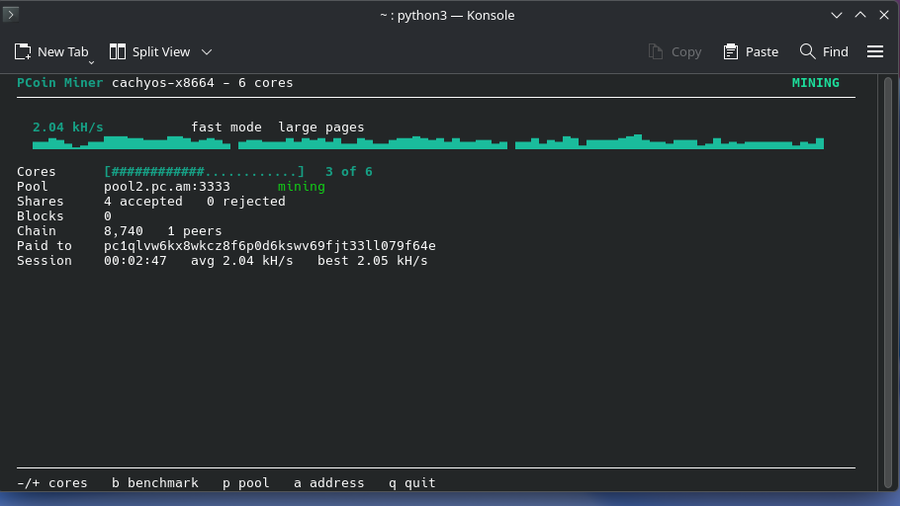
pcoin-miner — live in a terminal, at 2.04 kH/s in fast mode on
large pages. Works over SSH on a headless server.A single Python file, standard library only, so it runs anywhere Python 3 does. It drives a node you already have and shows the work live:
curl -fsSL https://pc.am/dl/pcoin-miner -o ~/.local/bin/pcoin-miner
chmod +x ~/.local/bin/pcoin-miner

pcoin-miner --address pc1YOURADDRESS --pool pool2.pc.am:3333 --cores auto
Keys while it runs: -/+ change cores,
b re-runs the benchmark, p switches pool, a changes
the payout address, q quits. --cores auto measures every core
count and picks the fastest — worth doing, because the fastest is often not the largest.
.deb installs, or the desktop app below.The desktop app
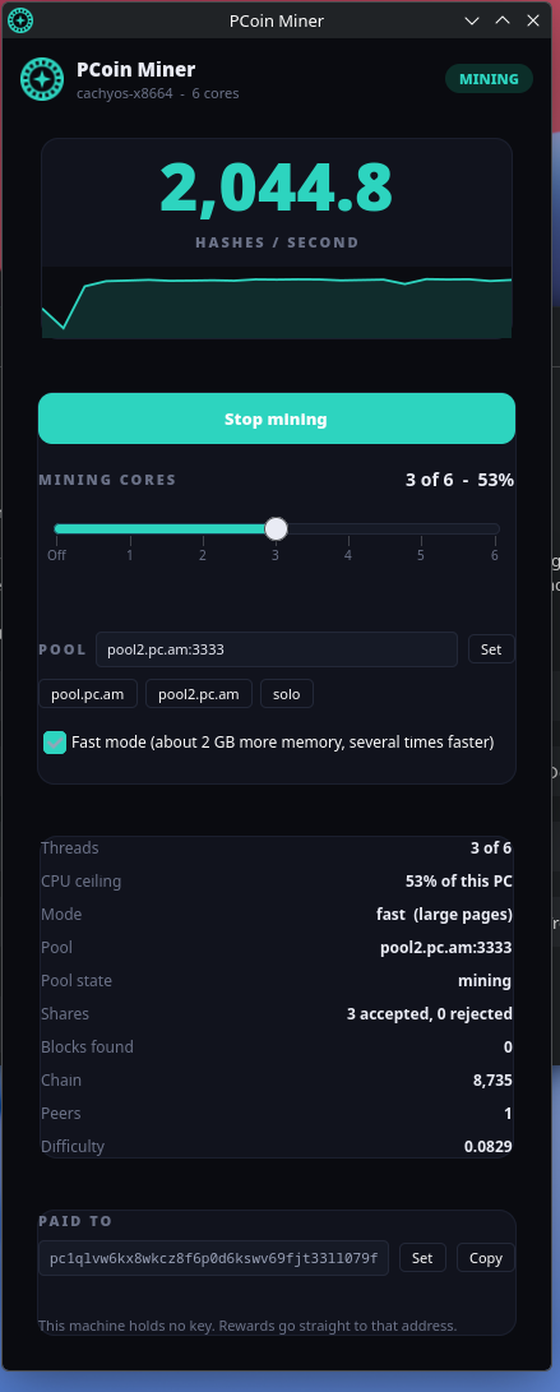
GTK4 through PyGObject, which every mainstream desktop already ships. It adds a tray icon, an entry in your applications menu, and starts with your session. Everything the Windows app can do is here: start and stop mining, a cores slider, a fast-mode switch, solo or pool with the pool picker, and the payout address, which it checks with the node before accepting.
curl -fsSL https://pc.am/dl/pcoin-miner-gui -o ~/.local/share/pcoin/bin/pcoin-miner-gui
chmod +x ~/.local/share/pcoin/bin/pcoin-miner-gui
It reads ~/.config/pcoin/miner.conf and drives the same
systemd user units, so the app and the terminal agree about what the machine is doing.
Fast mode
Off by default on Linux, because it keeps a 2080 MiB table in memory. It is worth roughly four times the hash rate. In the desktop app it is a checkbox. Everywhere else, add one line to the node's config and restart it:
echo 'randomxfastmode=1' | sudo tee -a /var/lib/pcoin/pcoin.conf
sudo systemctl restart pcoind
It needs about 2.3 GB free. The node refuses and stays in the slower
light mode rather than risk the machine, and getcpuminerinfo tells you why.
Uninstall
sudo apt remove pcoin          # Debian/Ubuntu; your chain and any wallet are kept
rm -f ~/.local/bin/pcoin-miner ~/.local/share/pcoin/bin/pcoin-miner-gui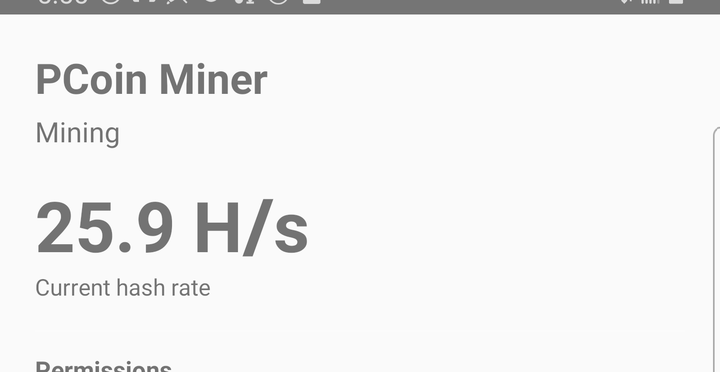
Install
The miner is not on Google Play — Play does not accept mining apps. Install the APK directly:
Download pcoin-android-miner.apk
Android will ask you to allow installing from your browser. The wallet app is on Google Play and is a separate thing.
After installing
- Grant notifications, and turn battery optimisation off — without it Android suspends mining shortly after the screen goes off.
- Samsung, Xiaomi, Oppo and Huawei have their own battery settings on top of Android's. The app cannot ask for those; set them by hand.
- Expect the phone to get warm and the battery to drain. Keep it on a charger.
- It mines on
pool.pc.am:3333. To usepool2.pc.am:3333, another pool (typed ashost:port) or solo, choose it under Mining pool on the app's main screen.
What to expect
Measured on real machines, in fast mode, at the settings shown:
More cores is not always faster
RandomX works out of a large table in memory, and past a point extra threads
spend more time waiting for memory than hashing. On the Linux machine above, three
cores beat all six by 92% — half the machine produced nearly twice what the
whole machine did. So do not assume: the terminal miner's --cores auto measures
every setting and picks the winner, and the desktop and Windows apps let you try by hand.
Large pages are worth a third again
Fast mode keeps a 2080 MiB table in memory, and on ordinary 4 KiB pages the processor spends much of its time translating addresses for it. Reserving huge pages for that table is what lets extra cores keep adding hash rate instead of evicting each other. Measured on the machine above, it moved the best setting from two cores to three and the peak from 1,433 to 1,969 H/s:
echo 'vm.nr_hugepages = 1060' | sudo tee /etc/sysctl.d/99-pcoin-hugepages.conf
sudo sysctl --system
sudo systemctl restart pcoind      # or: systemctl --user restart pcoind
1060 pages is 2120 MiB: 1040 for the table plus one per mining thread.
That memory is reserved away from everything else, so size it deliberately. The node reports
largepages and, when it cannot get them, exactly what it wanted.
Solo or pool
Solo means you build your own blocks and keep the entire 50 PCN reward when you find one — but finding one is rare and irregular. Pool means your work is combined with everyone else's and you are paid a steady share of whatever the pool finds. Two pools are run by the project:
pool.pc.am:3333pool2.pc.am:3333
Both take a 2% fee. There is also at least one pool run by somebody else, which is healthier for the chain than everyone using ours.
Where the coins go
You give the miner a payout address and rewards are paid straight to it. The mining machine holds no private key on Linux and on the pool path — there is nothing on it worth stealing, and nothing to back up. If you do not have an address yet, get one from the wallet first.